

Ulutin
Well-known member
- Joined
- Aug 6, 2016
- Messages
- 523
- Reaction score
- 1,896
- Server
- Europe_4
- Main Char
- Ulutin
- Clan
- Kurultai
If you have a new laptop with a next-generation GPU, you might encounter game crashes right after the loading screen when launching your game. Fortunately, there is a solution for this issue.
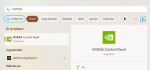
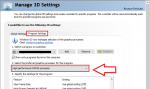
1 - Open your Start Menu and search for "NVIDIA Control Panel". Then click on it.
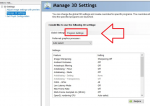
 2- Click on the option labeled 'Program Settings' here.
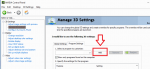
 3- Click on the 'Add' button.
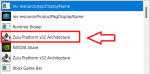
 4- Now, you will see a list of the latest apps you've used. Choose 'Zulu Platform x32' from the list.
 5- Finally, select "High-performance NVIDIA processor" from the dropdown menu over here.
Additionally, your game might appear blurry if you are using a laptop with adjusted DPI settings. You can adjust the DPI settings to enhance the precision of your game's visuals. Visit the official guide here for more information.
1 - Open your Start Menu and search for "NVIDIA Control Panel". Then click on it.
Additionally, your game might appear blurry if you are using a laptop with adjusted DPI settings. You can adjust the DPI settings to enhance the precision of your game's visuals. Visit the official guide here for more information.

